 HiveSpace
HiveSpace
HiveSpace
Debug less. Deploy more.
See why GitLab jobs are stuck, which runners are saturated,
and where you're wasting money.
Free for the first 50 teams. No credit card.
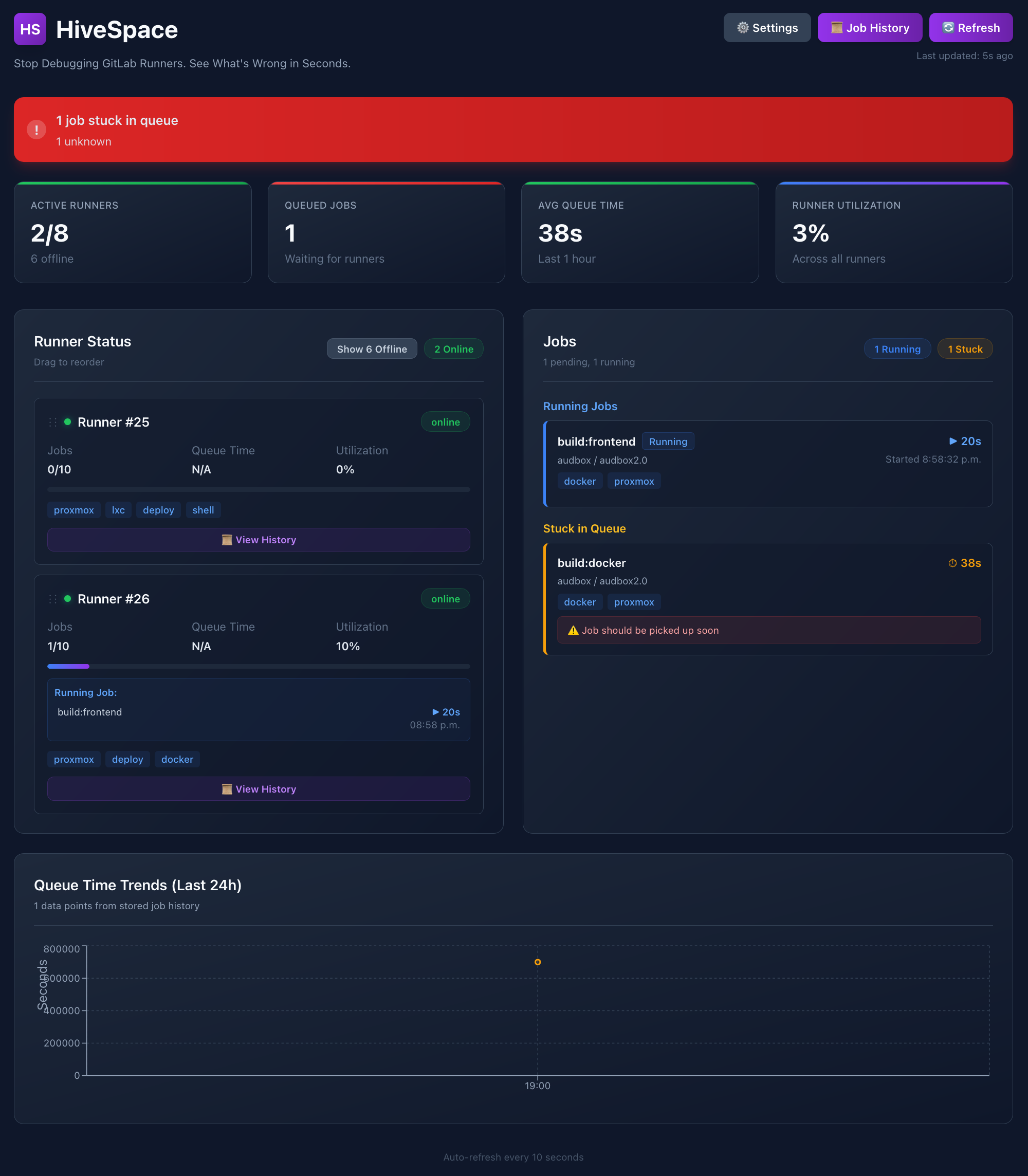
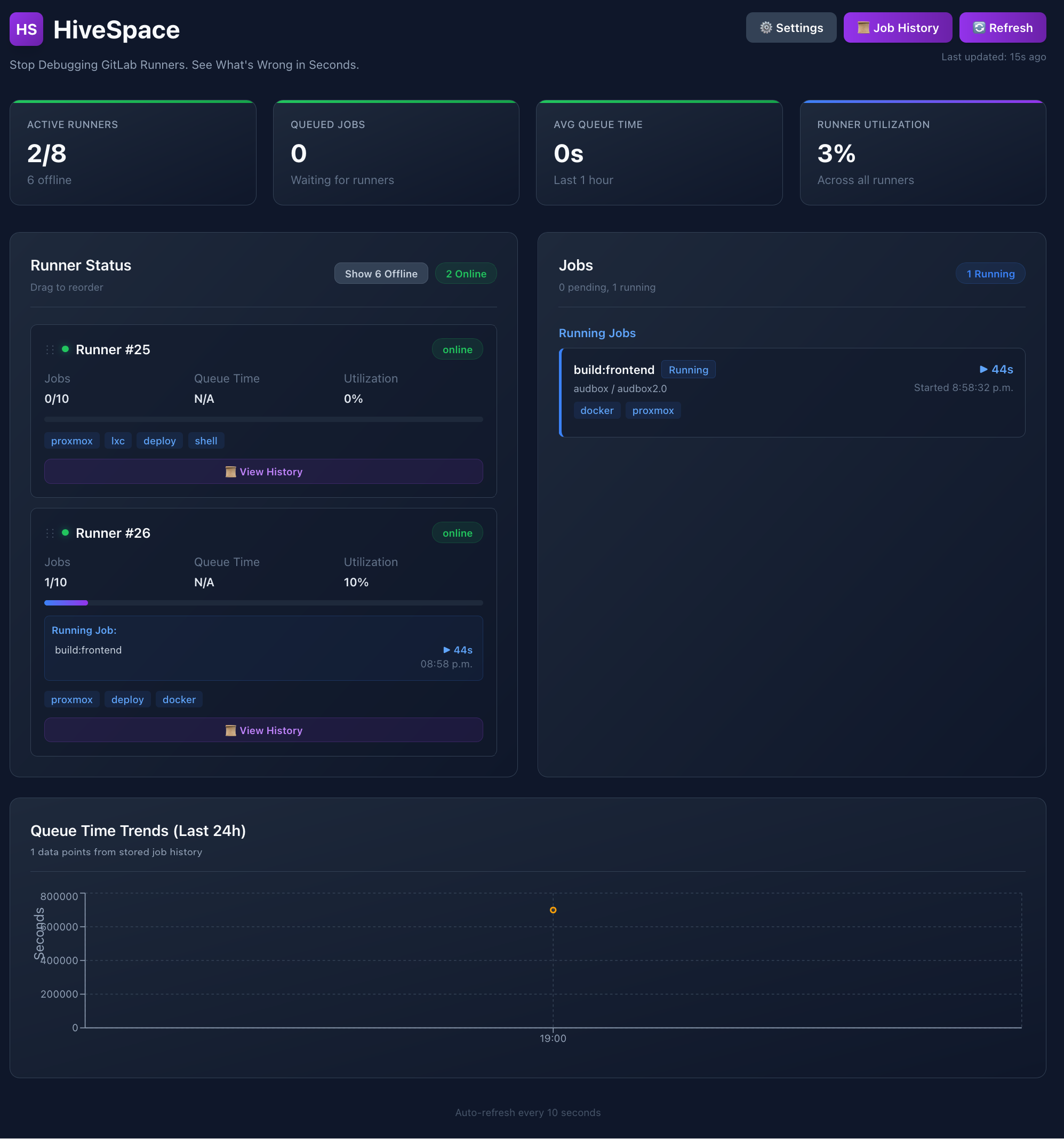
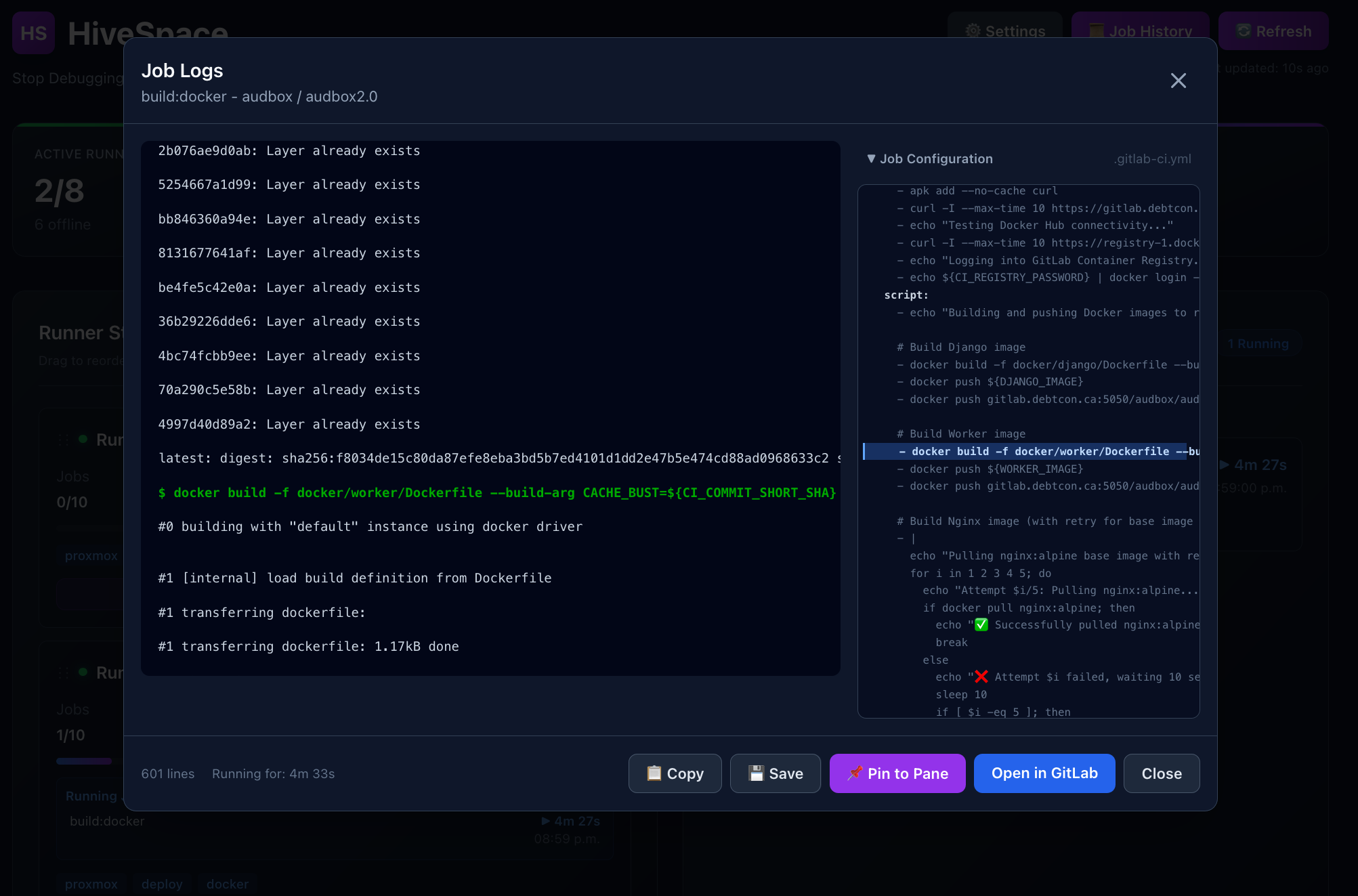
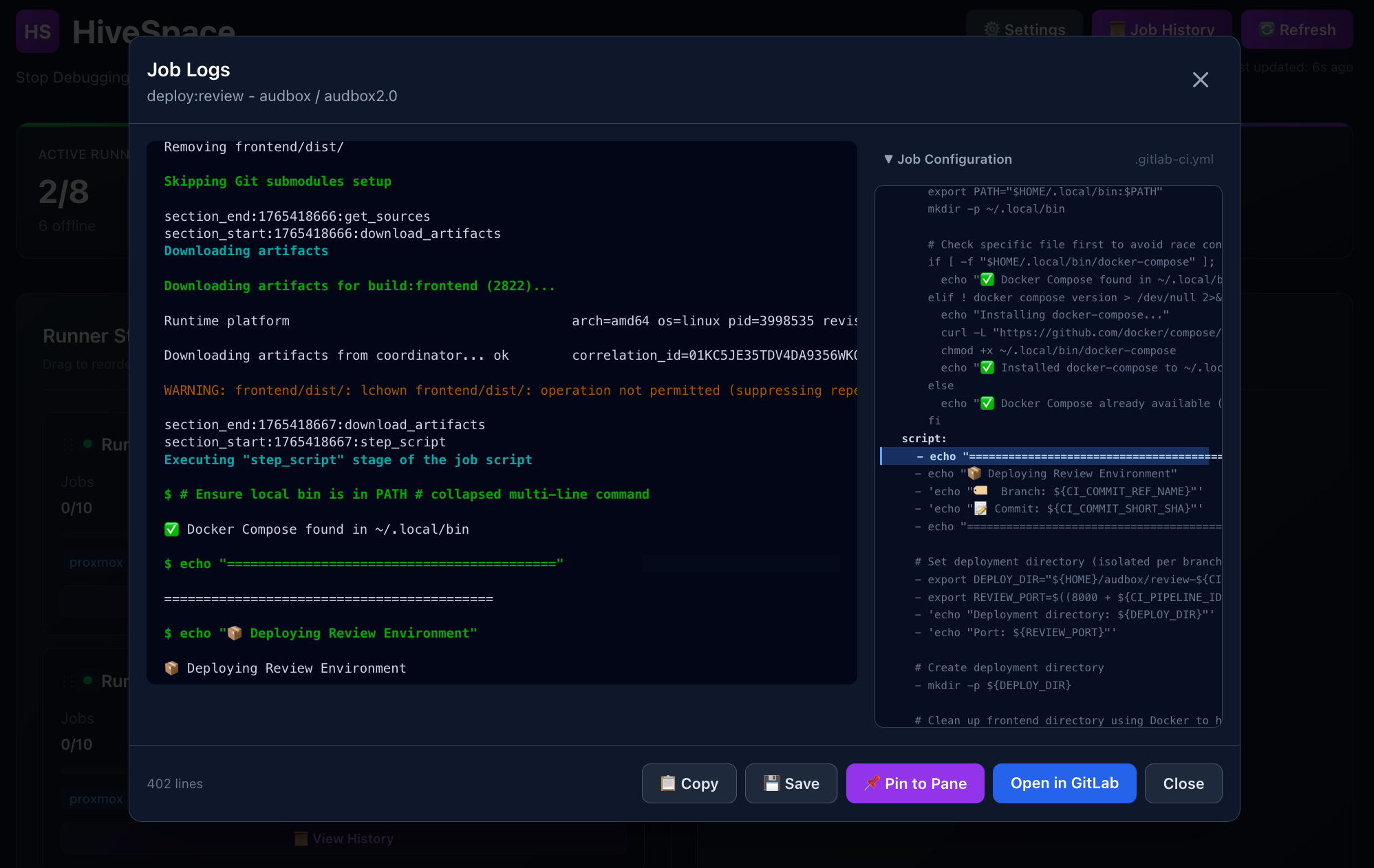
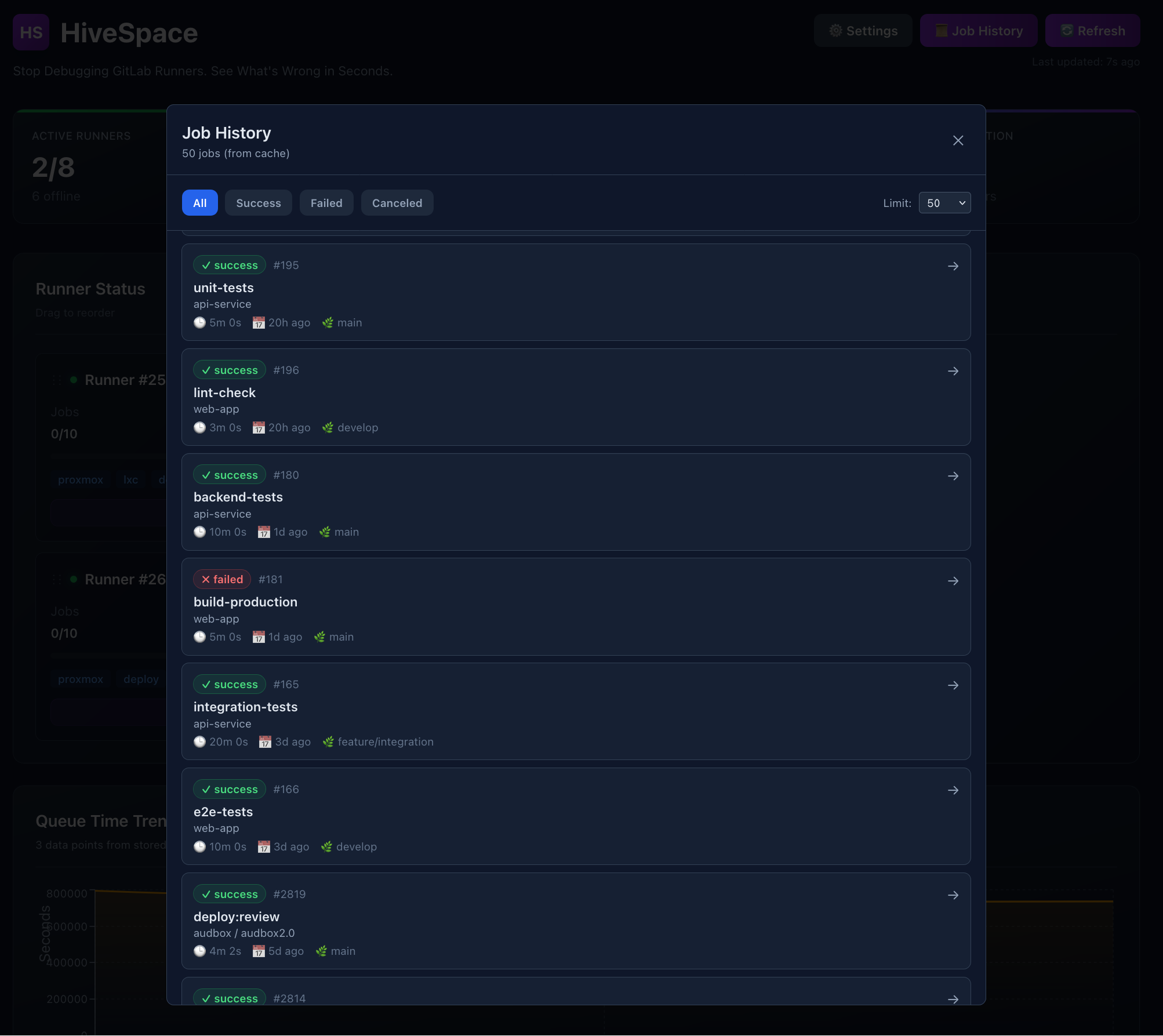
Monitor all GitLab runners, stuck jobs, and pipeline performance at a glance with live updates every 30 seconds.
Instantly see why jobs are stuck: missing tags, offline runners, or capacity issues with actionable insights.
Track completed jobs with detailed history, filter by status, and access logs from any past job with configurable retention.
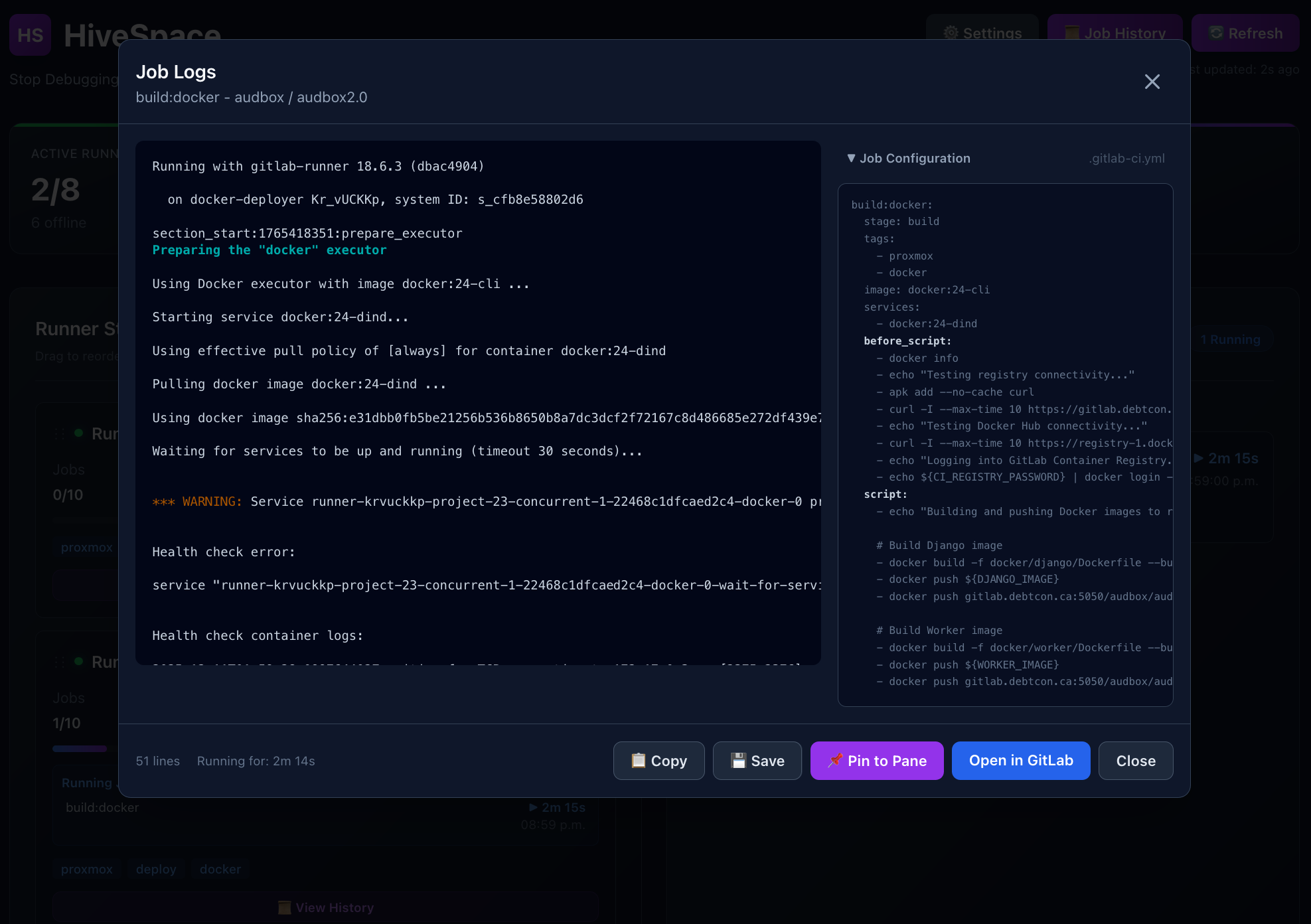
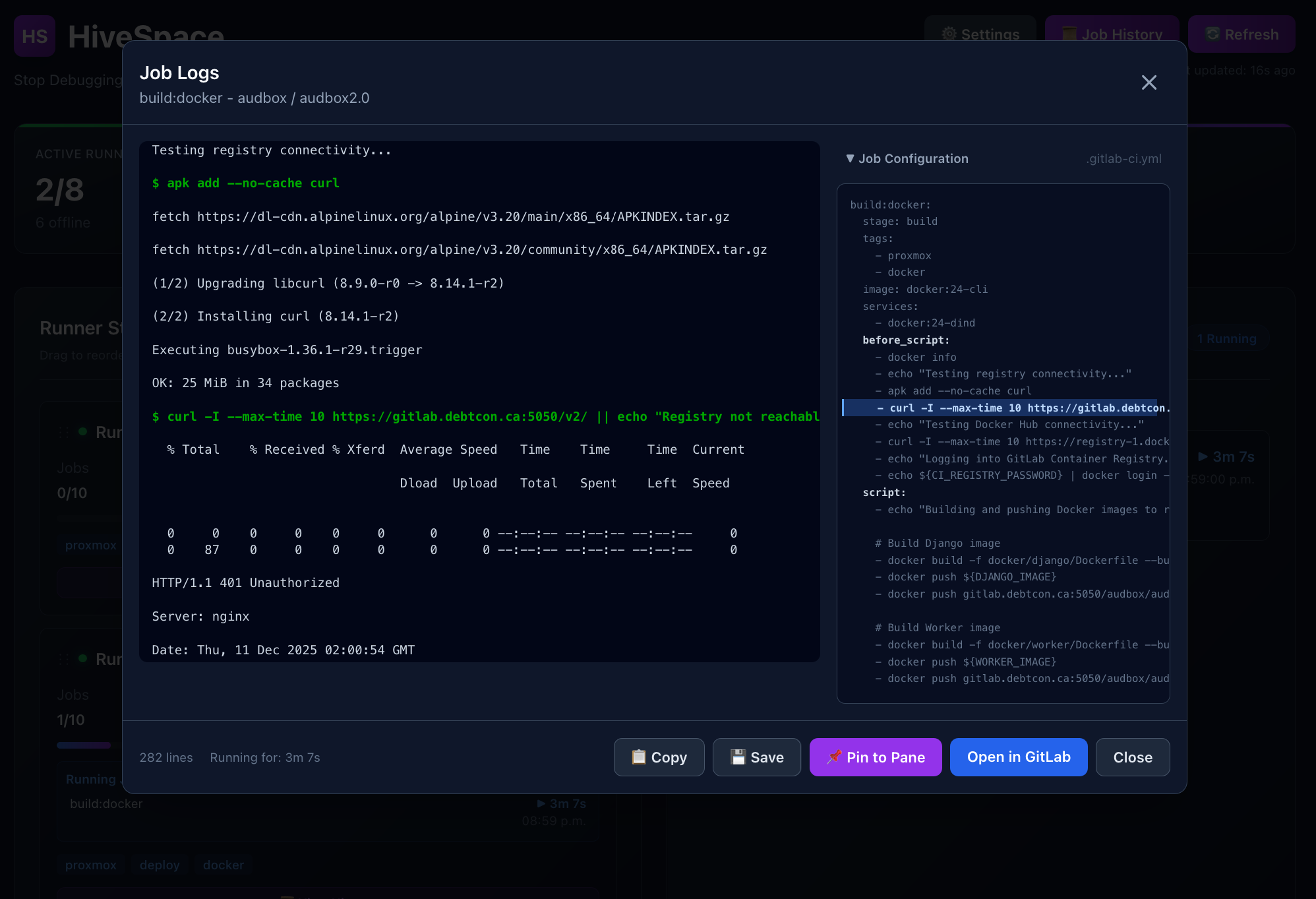
View real-time job logs and .gitlab-ci.yml configuration side-by-side for faster debugging.
Drill down into individual runner performance with dedicated history views and utilization metrics.
Visualize queue performance over time with interactive charts to optimize runner capacity and reduce wait times.
Visualize queue performance over time with interactive charts to optimize runner capacity and reduce wait times.
These are the daily frustrations teams face with GitLab CI/CD
Something’s wrong, but GitLab doesn’t tell you what.
You find out when devs complain — and it’s already expensive.
One wrong tag can stall pipelines across projects.
Stop guessing. Start knowing. Get instant visibility into your GitLab infrastructure.
See exactly why jobs are stuck: "No runner with tag 'heavy'" or "All runners at capacity." No more guesswork or grep-ing configs.
Visualize which runners are saturated, which are idle, and where you're over-provisioned. Slice by project, tag, or time period.
Get notified before queue times spike. Catch capacity issues before your developers do. Historical trends show what changed.
No credit card required. Cancel anytime.